Missed Renewals
Driver licences.
Medical cards.
Vehicle inspections.

Company · Driver · Vehicle qualification
Driver & Vehicle Compliance Management
Manage driver files, vehicle documents, expiry dates, reminders, and audit evidence in one workspace.
The Problems We Solve
FleetQualify brings those daily compliance risks into one workspace built around driver and vehicle qualification files.
Driver licences.
Medical cards.
Vehicle inspections.
Spreadsheets.
Emails.
Shared drives.
Missing files.
Missing history.
Missing proof.
Chasing drivers.
Following up.
Tracking expiries.
Features
Every module is focused on files, expiries, requests, proof, and audit readiness.
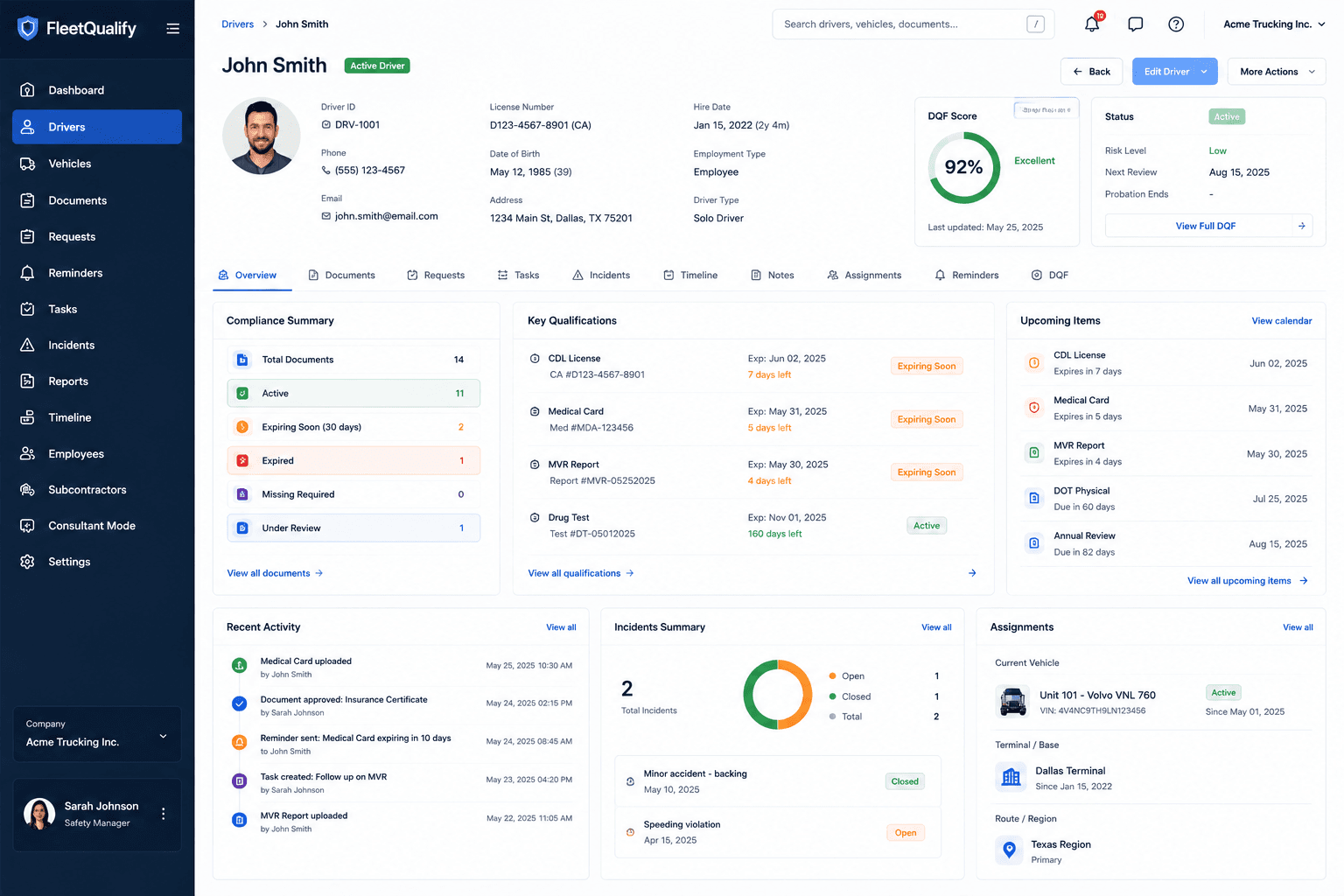
Keep licences, medical cards, MVRs, reviews, notes, and driver history in one qualification file.
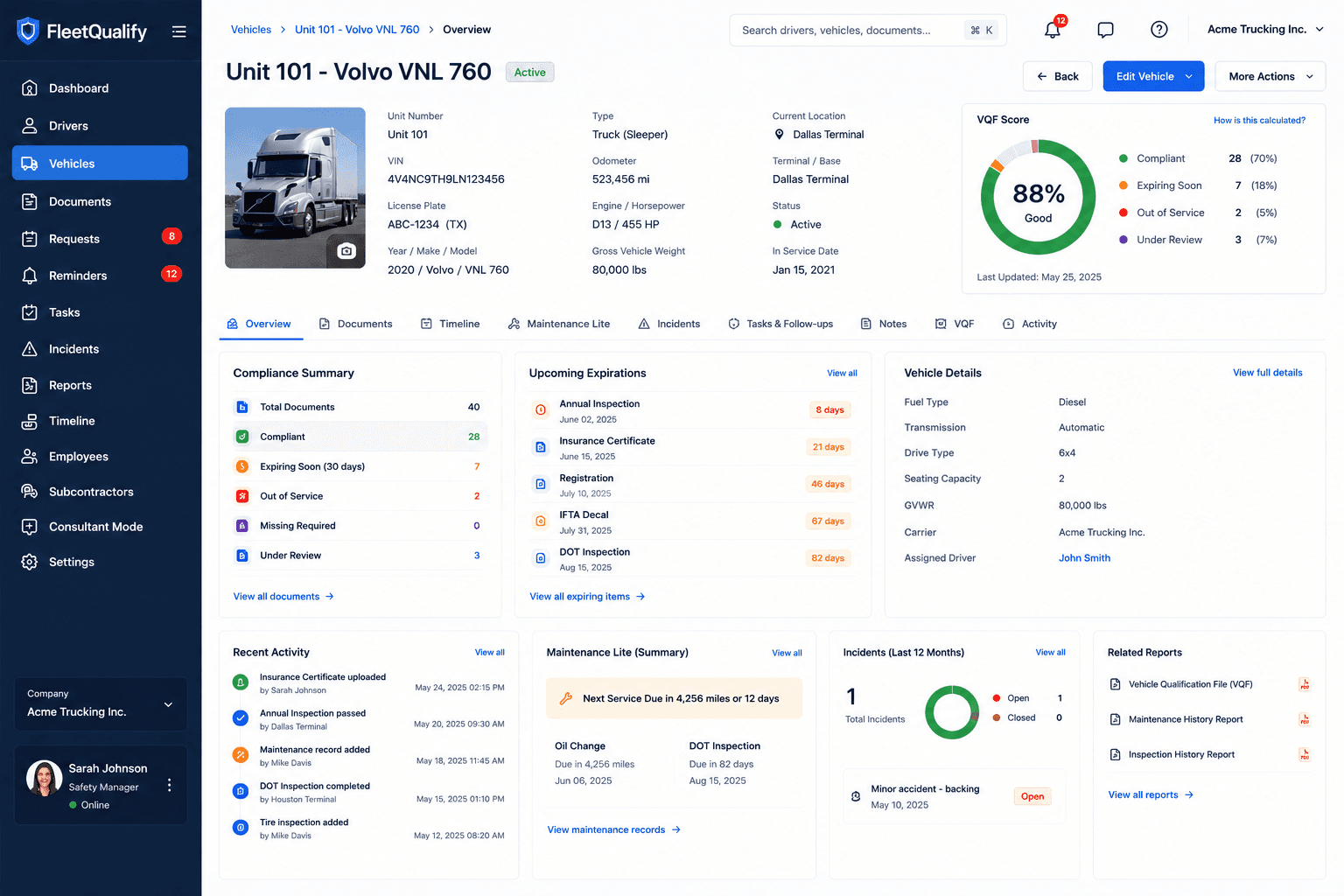
Track registrations, inspections, permits, insurance, assignments, and vehicle compliance status.
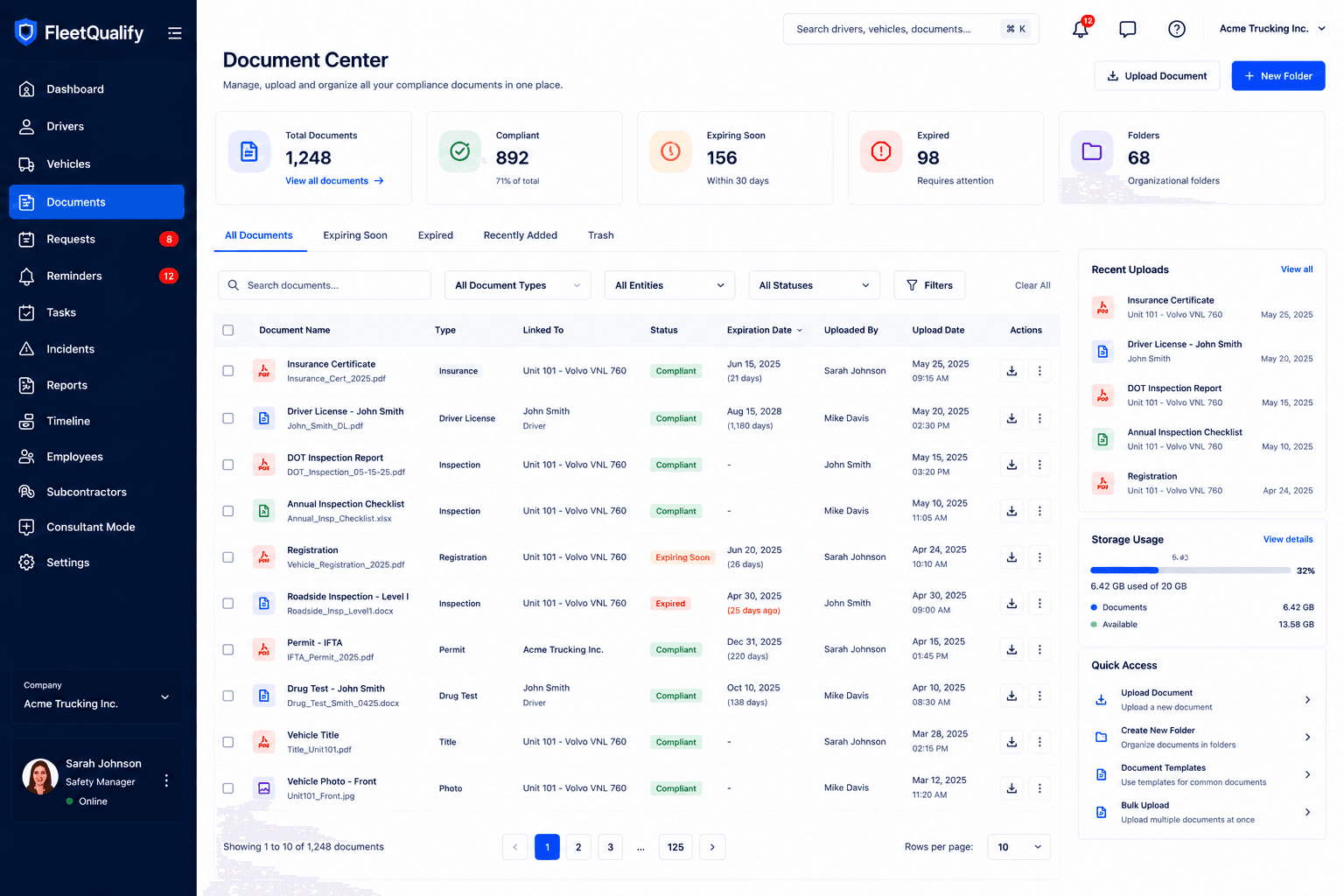
Store, classify, review, and retrieve compliance evidence without digging through shared drives.
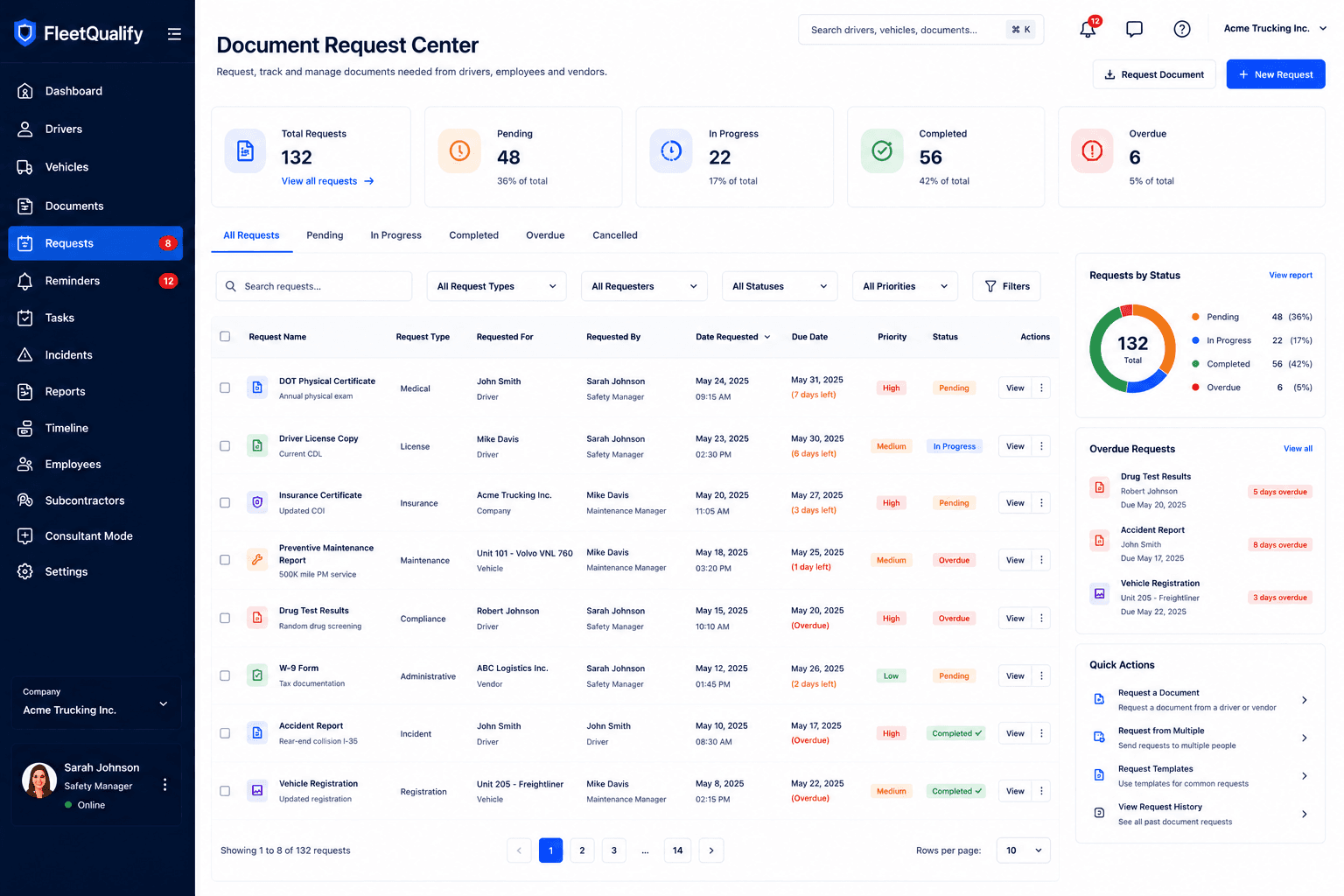
Send document requests and keep follow-up work connected to the driver, vehicle, and company record.
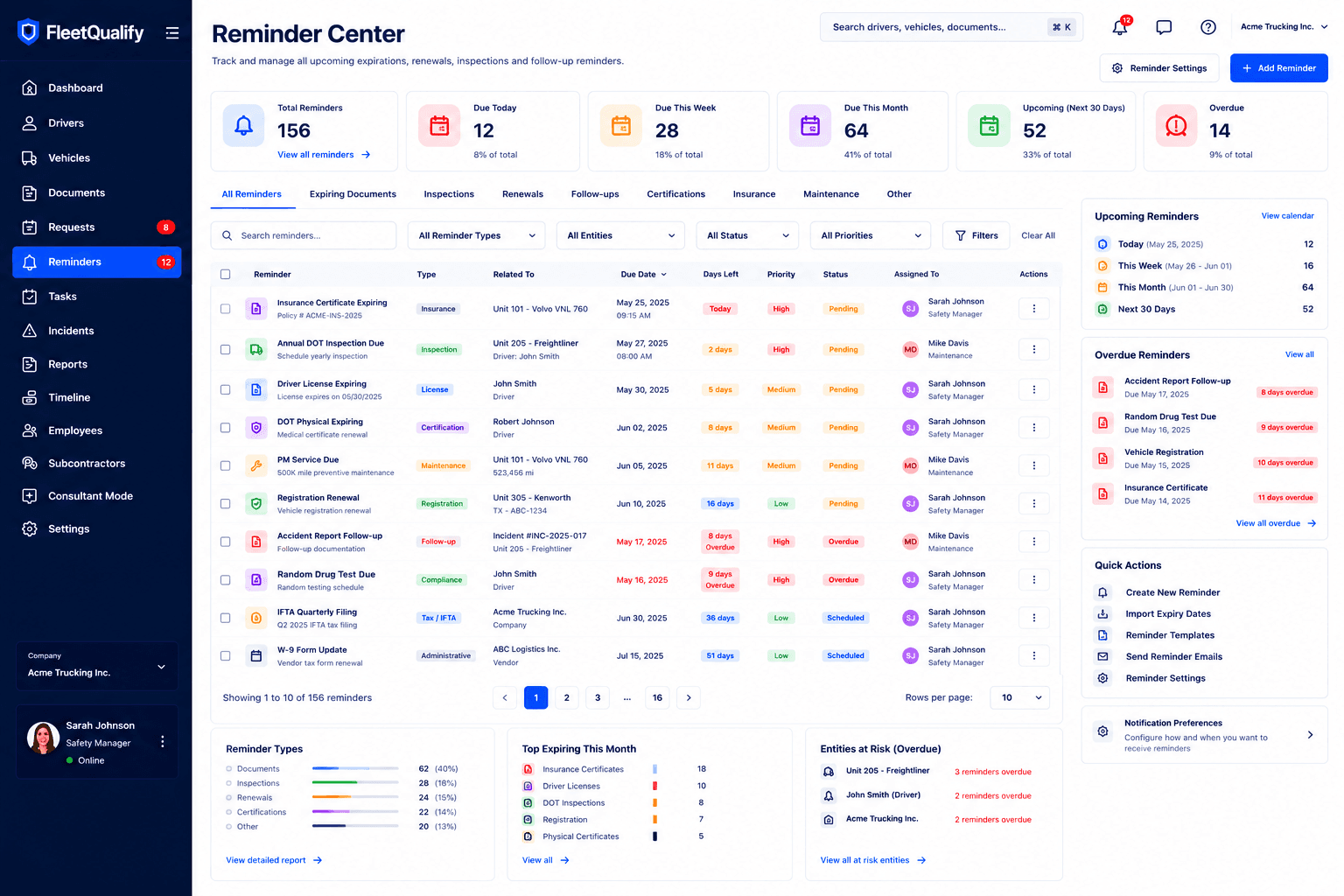
Automated expiry alerts help your team act before licences, inspections, and documents lapse.
Turn gaps into persisted follow-ups with priority, status, assignment, and due dates.
Review recorded document, task, incident, and profile events over time.
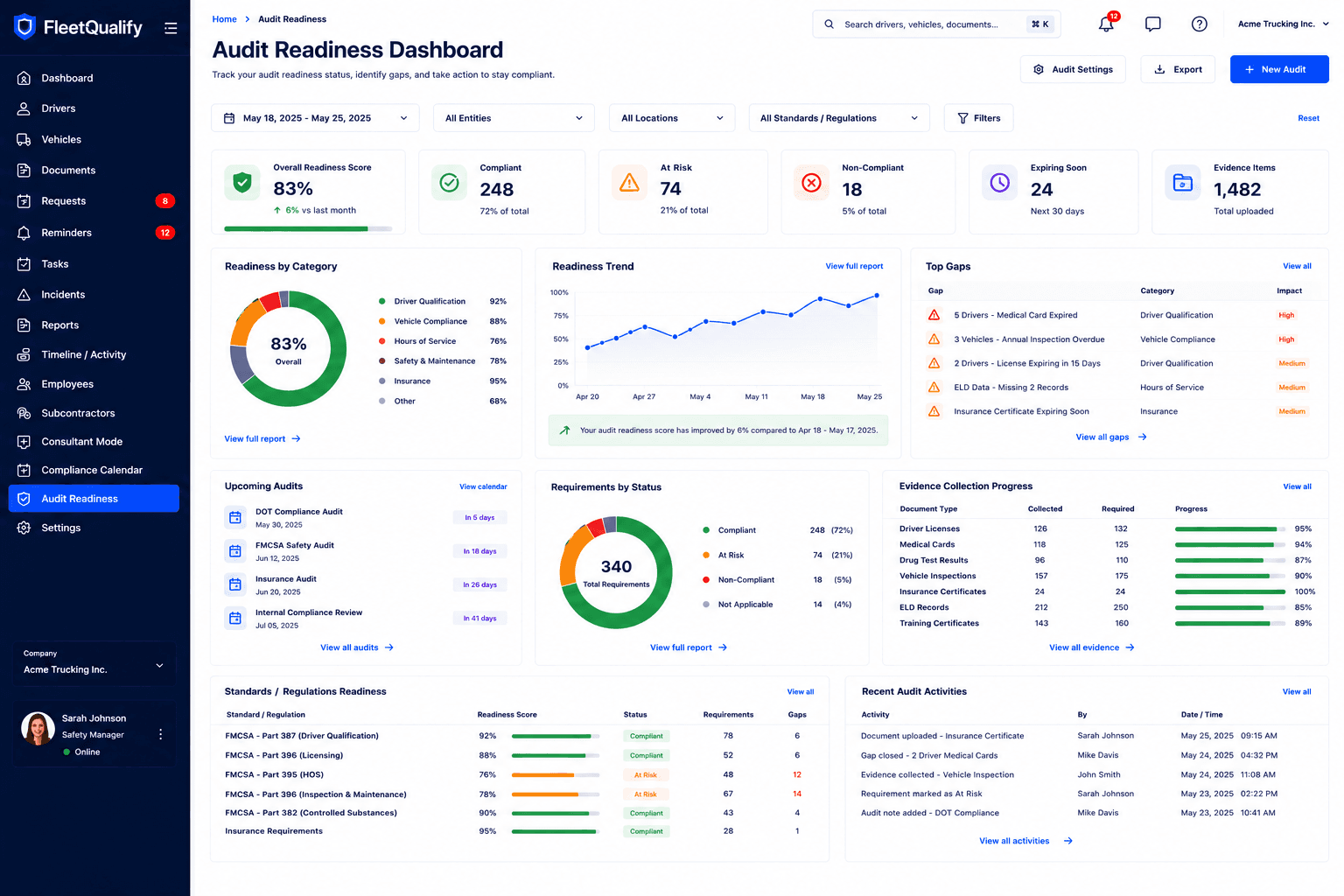
Export current workspace counts and compliance evidence for audit preparation.
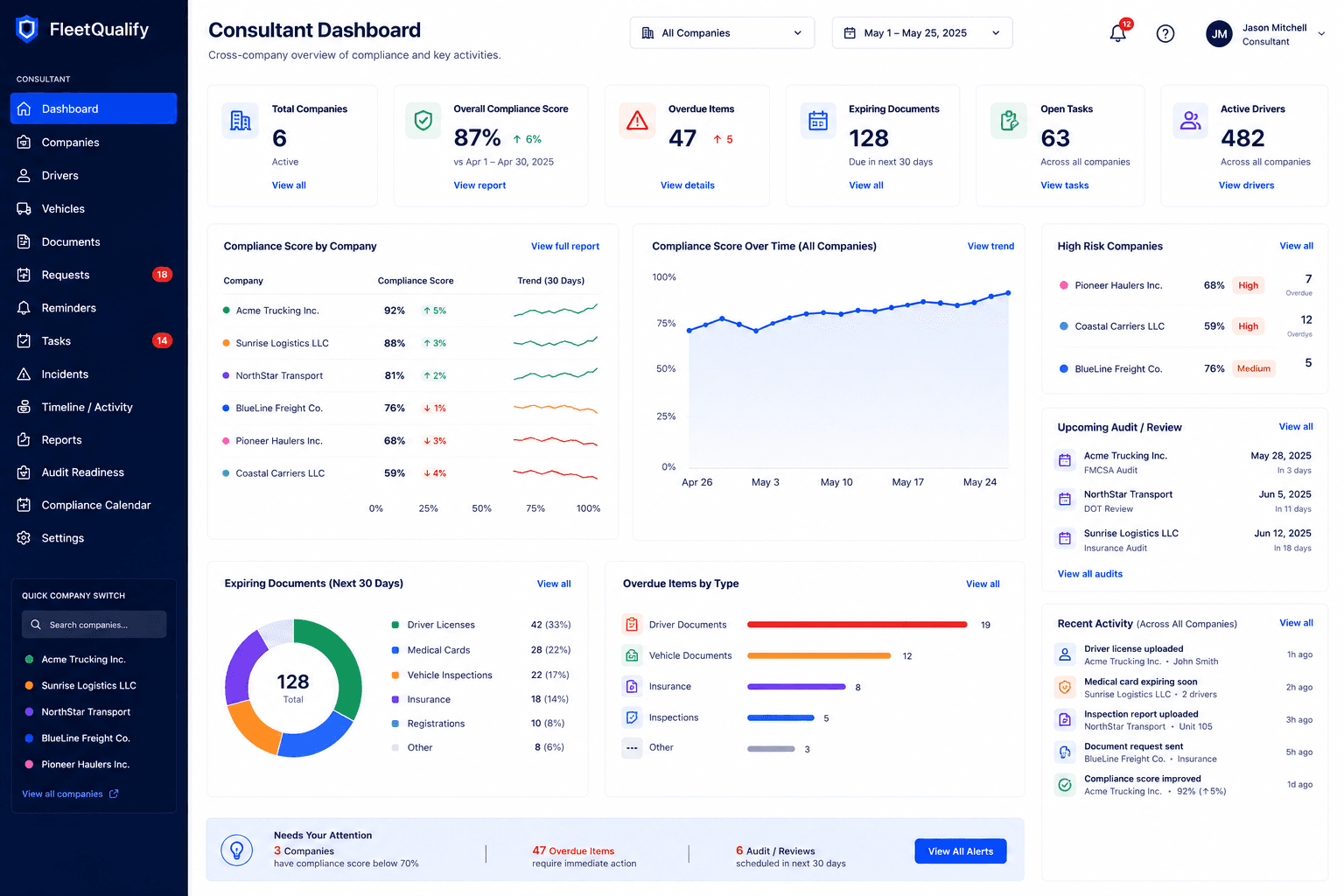
Manage multiple client fleets from one portfolio dashboard with company-level visibility.
Product Screenshots
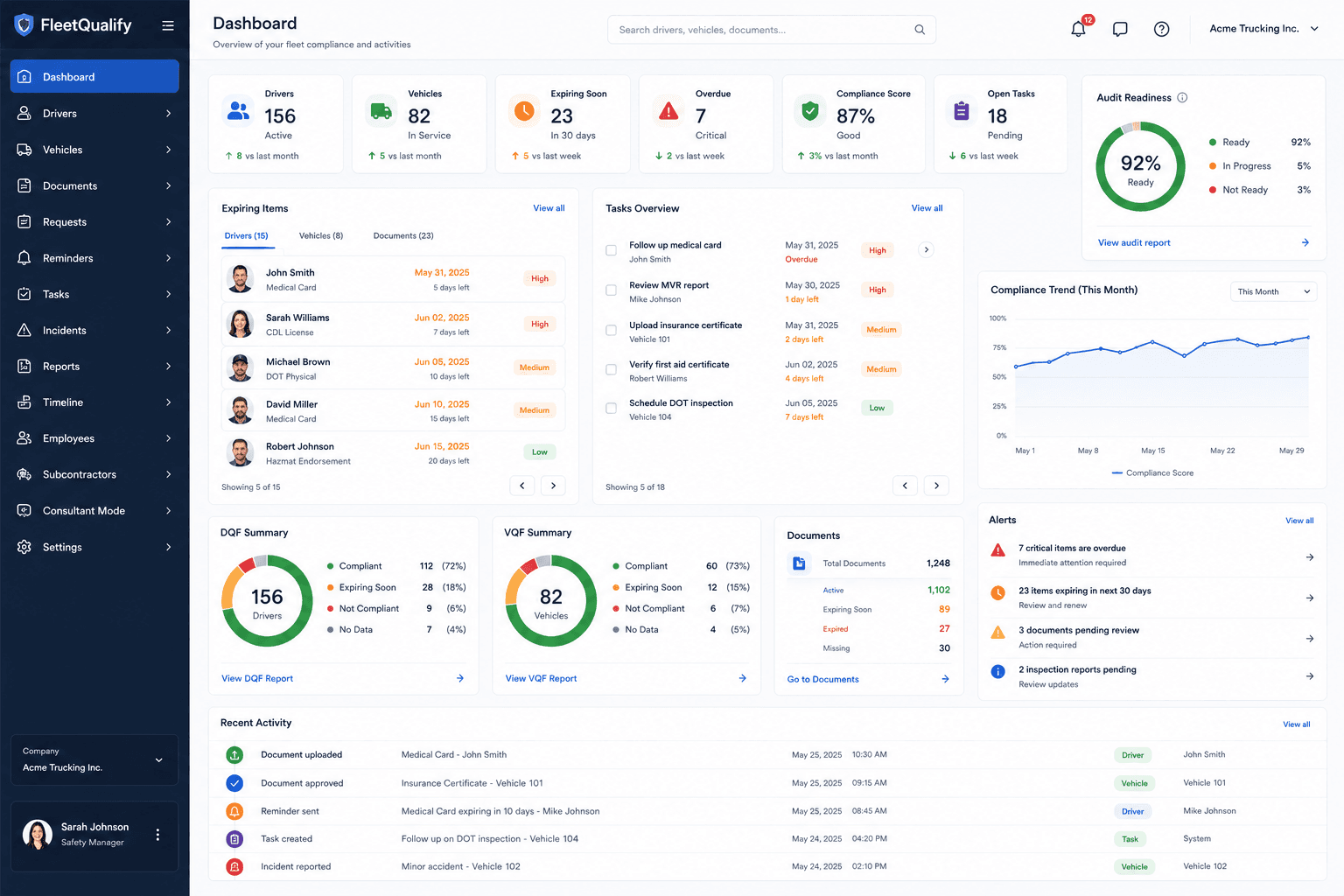
Move through dashboard, profile, document, reminder, and audit workflows without leaving the compliance context.
Current driver, vehicle, document, task, reminder, and incident counts in one operational view.
How It Works
Built For
1-25 drivers
25-200 drivers
Multi-company management
Why FleetQualify
| Feature | Spreadsheet | FleetQualify |
|---|---|---|
| Reminders | ||
| Audit Preparation | ||
| Version History | ||
| Document Requests | ||
| Driver Portal |
Compliance Coverage
Licence
Medical
FAST
Work Permit
Annual Review
MVR
Drug Test
Registration
Insurance
Annual Inspection
IFTA
IRP
Permits
Consultant Mode
Move between client companies, monitor readiness, surface overdue work, and keep document requests separated by fleet.
Portfolio-wide readiness
Company-level compliance gaps
Multi-fleet document request workflows
Get started
Organize company, driver, and vehicle qualification files, assign tasks, track reminders, and manage evidence reviews. Contact our team for onboarding and available service options for your fleet.
FAQ
Yes. Driver-facing upload flows let drivers submit documents without giving them access to the admin workspace.
Yes. Subcontractor workflows keep company, driver, vehicle, document, and request context separated.
Yes. Consultant Mode is built for managing multiple client companies from one portfolio dashboard.
Yes. You can bring drivers, vehicles, and compliance records in from spreadsheets during onboarding.
Yes. FleetQualify tracks expiries and sends renewal reminders based on configured rules.
Yes. Vehicle registrations, insurance, inspections, permits, and related documents are supported.
Ready To Simplify Fleet Compliance?